Every product team eventually hits this fork in the road. You’re scoping a new platform, or rebuilding an old one, and the architecture question comes up before the design mockups do. Single Page Application vs Multi Page Application. The decision sounds technical, but it shapes your SEO, your budget, and how fast your team can ship features for years afterward.
This isn’t a debate with a universal winner. It’s a fit problem. The teams that get burned aren’t the ones who chose SPA or MPA. They are the ones who chose based on what a competitor was using or what a developer preferred, without weighing what the product actually needs to do for its users.
Below is a practical breakdown of what SPAs and MPAs actually are, where enterprise teams get tripped up, and how to make the call with confidence rather than guesswork.
What Exactly Are SPAs and MPAs?
Before weighing tradeoffs, it helps to get the fundamentals straight. Both models solve the same problem, delivering a web experience, but they differ in where the work happens and how a browser handles each user action.
How a Single-Page Application Works? |
How a Multi-Page Application Works? |
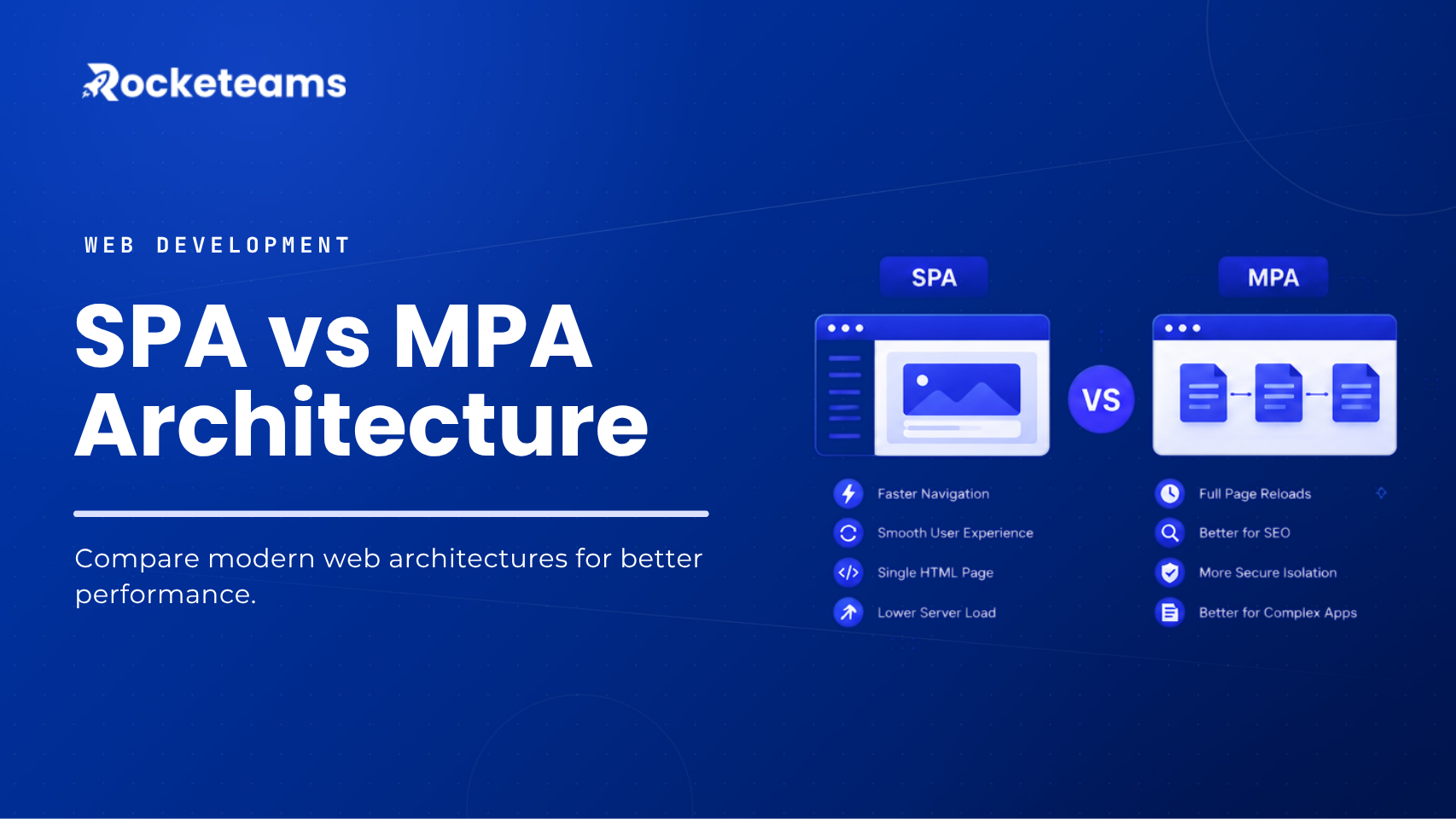
| A Single Page Application loads one HTML shell, then uses JavaScript to update content on the fly as a user clicks around. There’s no full page reload between actions. Gmail, Figma, and Notion are the classic reference points. | A Multi Page Application takes the more traditional route. Every link click sends a request to the server, which renders a full, complete HTML page and sends it back. |
| Open a new email or switch a board view, and the header, sidebar, and navigation don’t flicker or reset. The mobile application just updates the part of the screen that needs to change. | Amazon, Wikipedia, and most news publishers still run this way, and for good reason. Each page has its own URL, its own metadata, and its own place in a site’s structure. |
| Frameworks like React, Vue, and Angular power most SPAs today. Framework-adoption tracking from early 2026 puts React at roughly 70% of all websites running a JavaScript framework, which says less about React specifically and more about how thoroughly the SPA model has taken over interactive, enterprise-grade front ends. | WordPress alone still runs more than four in every ten websites globally as of 2026, according to CMS market tracking, and it remains a textbook MPA setup. Django, Laravel, and Ruby on Rails are common backends for this model. |
| The tradeoff is that the browser has to download and execute a JavaScript bundle before anything meaningful appears, which affects that first impression more than any click after it. | The navigation feels a bit heavier since every click means a round trip to the server, but the simplicity pays off in predictability. Nothing breaks in a weird client-side state because there isn’t much client-side state to break. |
How Do SPAs and MPAs Handle the Same Interaction?
Definitions only go so far. Watching how each architecture handles the same user action, say, loading a profile page, makes the difference concrete.
SPA Routing and Navigation
In an SPA, the front-end owns routing. A router like Angular’s maps a URL to a component, and the browser never leaves the page. Gmail is the everyday example. Click into a different folder and only the message list refreshes. The header, the compose button, and the sidebar stay exactly where they were.
MPA Routing and Navigation
In an MPA, the server owns routing. Every link is a request for a brand new document, handled and returned by the backend. Amazon works this way. Click into a product page or a category, and the browser requests a fresh page, metadata included, straight from the server.
Verdict: The difference isn’t just where the code lives. It’s who is responsible for state, speed, and what a crawler sees on that first request.
SPAs Pros and Cons
What matters |
SPA advantage |
SPA challenge |
| Speed after first load | Instant transitions, no reloads once the app is running | Needs SSR or prerendering to get indexed reliably |
| User experience | Smooth, app-like interactions and animations | Larger upfront JS download can slow first paint |
| Development | Reusable components speed up building new features | Runs the whole app in the browser, which taxes low-power devices |
| Offline and caching | Can cache data locally and function with limited connectivity | Manages complex client-side state well, but that’s also the risk surface |
MPAs Pros and Cons
What matters |
MPA advantage |
MPA challenge |
| Search visibility | First page loads fast since there’s no large JS bundle to download | Indexed by default, nothing extra required |
| Load pattern | Predictable navigation with a working back button and clean bookmarking | Every click means a full round trip and a full page reload |
| Resource use | Simpler mental model, less state to reason about per page | Repeated full-page requests add up to more server load at scale |
| State handling | Not typically a design goal, since pages assume a live connection | Front-end state, like scroll position or form input, resets on every reload unless handled separately |
How Do You Choose the Right Architecture?
Once the tradeoffs are clear, the decision becomes less about picking a “winner” and more about matching architecture to what the product actually needs to do.
Start With What the Product Has to Do, Not What’s Trendy
Ask a blunt question: is this product primarily about consuming content, or about doing work inside an interface? A marketing site, a documentation hub, or a content-heavy publication leans MPA almost every time.
A dashboard, an internal tool, or anything with continuous state, like a CRM or a project management platform, leans SPA. The wrong starting assumption here is usually “we should use whatever’s modern,” rather than “we should use whatever fits this specific job.”
Weigh SEO Needs Honestly
If organic search drives a meaningful share of pipeline or revenue, that has to shape the decision early, not get patched in after launch.
Teams that need both interactivity and discoverability increasingly land on hybrid rendering: server-side rendering for public routes like pricing, product, and blog pages, paired with client-side rendering for authenticated areas like dashboards. Next.js and similar frameworks have made this pattern far more accessible than it was even a couple of years ago.
Budget for the Real Cost, Not the Assumed Cost

Before locking in a stack, map out what ongoing maintenance actually looks like for each option. For an SPA, that means state management tooling, testing frameworks for client-side logic, and a plan for keeping bundle size under control as the app grows.
For an MPA, that means template management, server response time optimization, and a caching strategy that scales with page count. Whichever direction you go, get a realistic estimate from your engineering team before committing to a timeline in front of stakeholders.
Consider a Hybrid by Default
Very few large platforms today run as a pure SPA or a pure MPA. Most successful enterprise products use a hybrid: static or server-rendered pages for public-facing content that needs to rank, and SPA-style interactivity for the parts of the product where users are logged in and working.
This isn’t a compromise. It’s often the more disciplined choice, since it means neither the marketing team nor the product team has to fight the architecture to do their job.
A useful way to picture this split: the marketing site, blog, and pricing pages run as server-rendered or statically generated content, optimized purely for speed and crawlability. The moment a visitor logs in, they move into a mobile application layer built with SPA patterns, where state, real-time updates, and complex interactions take over.
Treating these as two separate concerns, rather than forcing one architecture to serve both jobs, is usually what separates a smooth rollout from a six-month cleanup project.
Revisit the Decision as the Product Matures
Architecture isn’t a one-time decision. A company that starts as a content site and later adds a customer portal, or a SaaS product that starts as a dashboard and later needs a public-facing knowledge base.
It will likely need to add the other model at some point. Planning for that flexibility early, even if you don’t build it yet, saves a much more painful migration later.
SPA vs MPA at a Glance
Factors |
Single Page Application (SPA) |
Multi Page Application (MPA) |
| Initial load | Slower, downloads a JS bundle upfront | Faster, lightweight HTML per page |
| Navigation speed | Instant after first load, no reloads | Full reload on every click |
| SEO | Needs SSR or SSG to compete | Strong by default, native to crawlers |
| Best fit | Dashboards, SaaS tools, internal apps | Content sites, e-commerce, blogs, publications |
| Development complexity | Higher, requires state management | Lower, more traditional patterns |
| Typical cost pattern | Reusable components, but larger design and QA surface | More templates and pages, but simpler mental model |
| Offline support | Possible with PWA patterns | Limited |
| Common frameworks | React, Vue, Angular | Django, Laravel, Ruby on Rails, WordPress |
Which Architecture Actually Wins?
Neither one, and that’s the honest answer. SPAs win when your product is a tool people return to and work inside. MPAs win when your product is content people find through search. Most enterprise platforms end up needing a bit of both, a public layer that ranks and a private layer that performs.
The real cost of getting this decision wrong isn’t the initial build. It’s the migration two years later, done under pressure, after the original choice has quietly become the thing slowing the team down. Get the fit right at the start, and the architecture stops being a conversation you have to keep revisiting.
FAQs
Which architecture is best suited for our specific business goals and user experience requirements?
It depends on whether your product is primarily content people read or a tool people use. Content-heavy, search-driven products fit MPA. Interactive, workflow-heavy products fit SPA, often with a hybrid approach for public pages.
What are the performance and SEO implications of choosing between an SPA and an MPA?
MPAs are crawlable by default since every page is fully rendered HTML. SPAs need server-side rendering or static generation to match that; otherwise, indexing can lag or fail on key pages.
How do the development timeline and cost differ between building an SPA and an MPA?
SPAs often move faster on reusable components but need more work for loading states and error handling. MPAs are simpler per page but take longer to scale across hundreds of templates.
What are the maintenance and scalability differences, and how do these affect long-term costs?
SPAs require ongoing attention to bundle size and client-side state as they grow. MPAs require consistent template and caching management as page count increases. Both scale, just through different kinds of engineering effort.
How do we evaluate whether an SPA or MPA offers better ROI for our audience and content strategy?
Map your traffic sources first. If organic search drives meaningful revenue, weight that heavily toward MPA or a hybrid model. If retention and in-app engagement drive revenue, an SPA usually pays off faster.
What security considerations are unique to SPAs versus MPAs?
SPAs expose more logic to the client and rely heavily on API security, since business logic often lives behind endpoints the browser calls directly. MPAs keep more logic server-side, which reduces client-side attack surface but puts more weight on server hardening.
Do you have examples of both SPA and MPA projects, and what drove the decision in each case?
Enterprise workforce management platforms with role-based dashboards and constant state changes typically point to SPA. Content-heavy platforms like documentation hubs or marketing sites, where search visibility drives most traffic, typically point to MPA or a static-first hybrid.