Mobile users don’t think in terms of “web” versus “app.” They just want things to open fast, work reliably, and get out of the way. The problem is that most enterprise web experiences still don’t clear that bar, and that gap is costing businesses real engagement and revenue.
Progressive Web Apps were designed to close that gap. They’re not a trend or a workaround; they’re a deliberate architectural choice that gives enterprises the reach of the web and the performance of a native app, without maintaining two separate codebases or fighting for App Store real estate.
What Are Progressive Web Apps?
Before getting into strategy, it’s worth being clear about what PWAs actually are because the term gets used loosely, and the details matter for anyone evaluating them seriously.
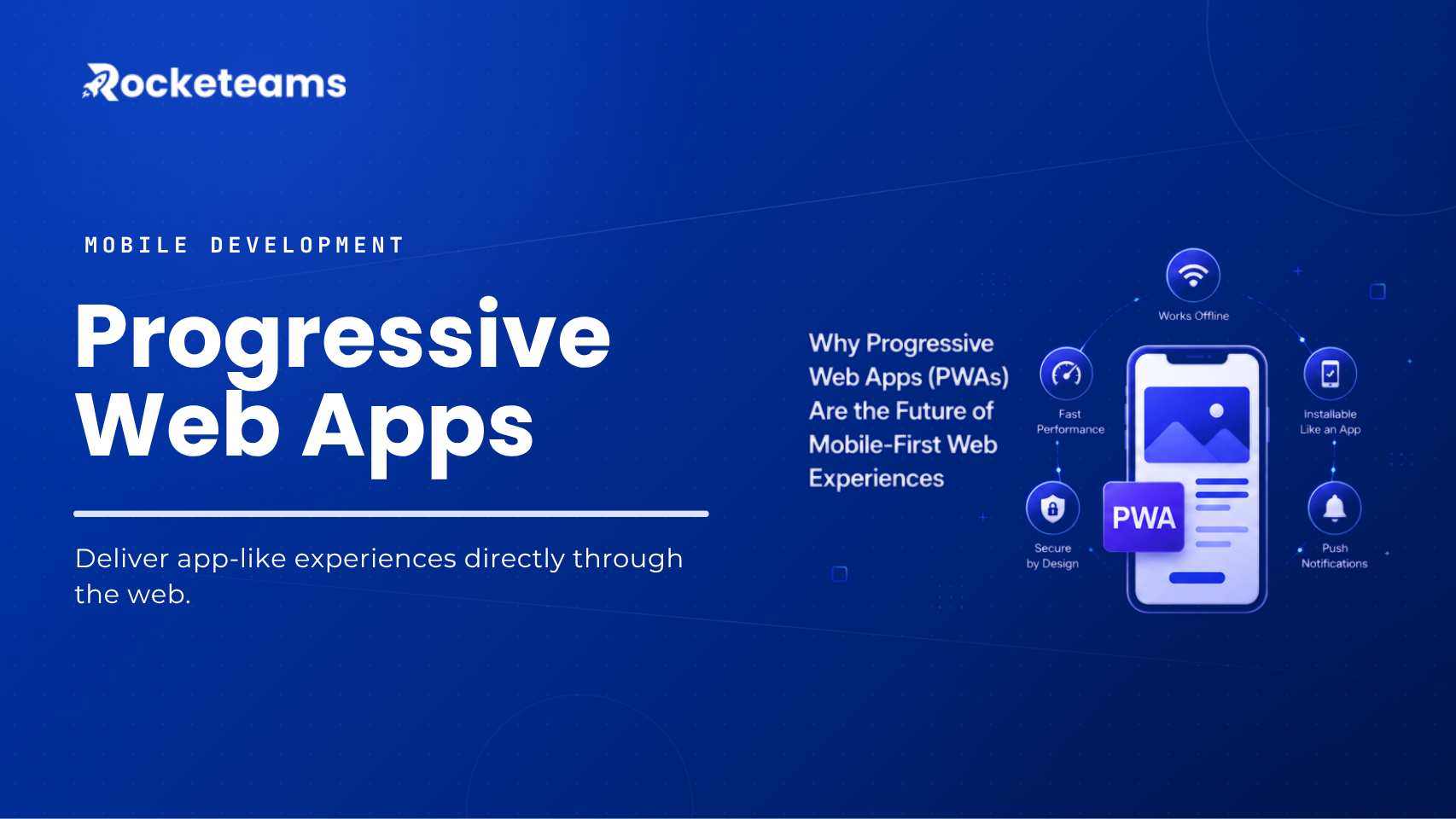
A Progressive Web App is a web application built using standard web technologies (HTML, CSS, JavaScript) and enhanced with modern browser capabilities that give it app-like behavior. The core building block is the service worker, a background script that enables offline caching, push notifications, and faster repeat loads. Paired with a web app manifest, the app becomes installable directly from the browser, without a trip to the App Store or Google Play.
The Technical Foundation That Makes It Work
PWAs rely on three foundational components that separate them from regular mobile websites. Service workers handle caching and background sync. They intercept network requests and serve cached content when connectivity is unavailable or slow, which is what makes offline-first web apps possible.
The web app manifest defines how the app appears when installed: its name, icon, launch URL, and display mode. HTTPS is required throughout, which means security is built into the spec, not bolted on.
What “Progressive” Actually Means in Practice
The “progressive” part means the app works for every user, regardless of the browser or device’s capabilities. On a modern browser with full PWA support, users get the full experience, including offline access, home screen installation, and push notifications. On older browsers, they still get a functional web experience. Nothing breaks; it just scales to what the environment supports.
This is an important distinction for enterprise deployments, where device diversity across employee and customer segments is a reality, not an edge case.
PWA vs Native Apps – Where the Comparison Gets Practical
The PWA vs native apps debate has been running for years, and by now, the more useful framing is: which is right for this use case?
Native apps still lead when an application requires deep hardware integration, complex offline data sync, or sustained background processing. But for most enterprise web experiences, customer portals, e-commerce, content platforms, service booking, and field team tools, PWAs now cover the functional ground that once required a native build.
The practical advantages are significant: one codebase works across iOS and Android, there’s no app store approval process, updates ship immediately without user action, and discoverability happens through search rather than a store listing. For enterprises managing multiple markets or tight release cycles, those aren’t minor conveniences.
Why Are So Many Enterprise Web Experiences Still Falling Short on Mobile?
Most organizations know their mobile web experience isn’t great. The harder question is why it stays that way and what the actual cost is.
The honest answer is that mobile web has historically been treated as a degraded version of the desktop experience, not a product in its own right. Responsive design helped with layout, but it didn’t address performance, reliability, or re-engagement. Those require a different architectural approach.
The Real Cost of a Slow, Disconnected Mobile Web Experience
Speed matters at the margin, and the margins are where revenue lives. Google’s research has long shown that mobile page abandonment rises sharply with each additional second of load time, but the downstream effect on enterprise businesses extends beyond that.
A slow customer portal means more support calls. A checkout flow that drops on a poor connection means lost conversions. A field service web tool that requires constant connectivity means delayed job completions. These aren’t hypotheticals, they’re recurring friction points that teams quietly work around until something better is available.
Why Maintaining Separate Native Apps Creates Its Own Problems
Some enterprises default to native apps as the solution, but that choice carries its own overhead. Building and maintaining separate iOS and Android codebases doubles development and QA costs. App store reviews add latency to releases. Adoption requires users to take a deliberate installation step, which a meaningful percentage of users never take.
Then there’s the fragmentation problem on the user side. Not every customer or employee will keep the app updated, which means support teams end up troubleshooting multiple versions of the same interface simultaneously.
The Browser Support Gap That No Longer Exists
One objection to PWAs that held weight a few years ago was inconsistent browser support, particularly on iOS. Apple’s historically limited PWA support in Safari created real gaps in functionality, especially around push notifications and installability.
That gap has narrowed considerably. Apple added web push notification support in iOS 16.4 (released in 2023), and subsequent updates have continued to expand PWA capabilities in Safari. Cross-browser PWA support is no longer a reliable argument against adoption. The question now is whether a given team is building to current standards or reasoning from assumptions that are a few years out of date.
How Do PWAs Actually Improve Business Performance?
The case for PWA development services isn’t theoretical. There’s enough production evidence at this point to draw clear patterns about where the gains show up.
PWA Performance Optimization and Its Effect on Engagement
The engagement impact of well-optimized PWAs is well-documented across industries. When Twitter launched Twitter Lite in April 2017, making it the default mobile web experience for all users globally, the results were direct: Twitter Lite saw a 65% increase in pages per session, a 75% increase in tweets sent, and a 20% decrease in bounce rate. The app was also only 600KB over the wire, compared to 23.5MB for the native Android install.
Twitter’s case is notable because the improvement wasn’t driven by new features it was driven by better performance on low-end devices and slow connections. The PWA reached users that the native app had been underserving, and engagement followed.
That pattern repeats across e-commerce, media, and services. PWAs have shown a 70% increase in session length and a 20% increase in page views per session compared to traditional web apps, according to research aggregated by Straits Research. For enterprises where session depth is tied to conversion, those are meaningful numbers.
The Offline-First Web App Advantage
Offline capability is often framed as a feature for users in low-connectivity environments, but that undersells its value for enterprise use cases.
Think about field service engineers who move in and out of connectivity throughout a workday. Or customers browsing a product catalog on public transport. Or internal teams using a web-based tool in a facility with patchy Wi-Fi. Offline-first design means those sessions don’t break users’ stay in flow, and data syncs when connectivity returns.
The web.dev PWA guidance is explicit on this point: installed apps are expected to work even when connectivity is poor, and a PWA should not fall back to a blank error page. That’s not an aspirational standard, it’s what users now expect from any app-like experience.
PWA Push Notifications as a Re-Engagement Tool
For e-commerce in particular, PWA push notifications address one of the most persistent conversion challenges: getting users back to complete an action they started.
Push notifications in a PWA work through the browser’s Push API and display on the device like native app notifications on both desktop and mobile, on supported platforms. For marketing teams, this opens a direct re-engagement channel that doesn’t require the user to have installed a native app. Cart abandonment reminders, order updates, time-sensitive offers, and content alerts can all be delivered this way.
The distinction between email and SMS is timing and placement. A push notification surfaces at the OS level, at the right moment, without requiring the user to open a specific communication channel. That immediacy matters for e-commerce conversion in a way that delayed channels can’t replicate.
Installable Web Applications and the Home Screen Effect
When a web app can be installed to the home screen, user behavior shifts. It stops being “that website I use sometimes” and becomes a persistent part of the device. Re-entry requires one tap rather than opening a browser, typing a URL, or searching.
That reduction in friction compounds over time. Users who have installed a PWA return more often, spend more time in-app, and show higher conversion rates than users accessing the same experience through a mobile browser. The home screen is valuable real estate — installable web applications claim it without the barrier of a store-based install process.

What Does It Actually Take to Build or Convert to a PWA?
Understanding the opportunity is one thing. Knowing what’s involved in getting there is what decision-makers actually need.
Converting an Existing Website to a PWA
For organizations with an established web presence, the question is usually about conversion rather than greenfield development. The good news is that PWA adoption is incremental; you don’t have to rebuild everything at once.
A phased conversion typically works in this order: implement HTTPS if not already in place, add a web app manifest to define installability, introduce a service worker for basic caching and an offline fallback, and then progressively extend offline coverage and add push notification support as the team builds confidence in the implementation.
The timeline depends heavily on the complexity of the existing application, the quality of the codebase, and how deeply offline behavior needs to work. A well-structured modern web app can add baseline PWA capabilities in a matter of weeks. A legacy codebase with significant technical debt may require more substantial refactoring before the improvements hold.
PWA for E-Commerce – What to Prioritize First?
For e-commerce specifically, the highest-impact PWA investments tend to follow a clear priority order.
Performance optimization comes first, specifically, reducing time-to-first-meaningful-paint and ensuring the product catalog and cart experiences load reliably on slow connections. This is where most conversion gains come from, and it’s visible quickly in analytics.
Installability and push notifications come next. Once the performance baseline is solid, adding home screen installation and cart-abandonment or promotional push notifications builds the re-engagement layer that extends customer lifetime value beyond the first session.
Offline catalog browsing is valuable for certain product categories, particularly where users research before buying, and where browsing often happens on mobile with intermittent connectivity.
PWA Performance Optimization – What Does It Require from Teams?
Performance isn’t a one-time configuration it’s an ongoing practice. PWA performance optimization involves regular auditing with tools like Lighthouse, monitoring Core Web Vitals, managing cache strategies as the application evolves, and testing on representative devices rather than high-end development hardware.
For enterprise teams, this often means building PWA health into the same release review processes used for other performance-sensitive systems. It also means choosing a PWA development services partner who treats performance as part of the delivery standard, not a post-launch afterthought.
Why the Mobile-Like Web Experience Is Becoming the Baseline Expectation
The framing around PWAs has quietly shifted over the past few years. They were once pitched as a way to get “app-like” behavior on the web. Now, they’re increasingly what users expect from any serious digital product and what separates well-funded digital teams from those still shipping 2015-era mobile experiences.
The global progressive web apps market was estimated at USD 2.08 billion in 2024 and is projected to reach USD 21.24 billion by 2033, growing at a CAGR of 29.9%. That growth reflects adoption, not speculation. Enterprises across retail, media, travel, and financial services are building PWAs as their primary mobile web strategy, not as an experiment alongside a native app.
The reason is practical: a well-built PWA reduces the total cost of maintaining a mobile presence, extends reach to users who won’t install a native app, and delivers measurably better engagement than a standard mobile website. That combination is hard to argue against when the technology has matured to the point where it no longer requires significant trade-offs.
What’s changed isn’t the promise of PWAs that was articulated clearly a decade ago. What’s changed is the platform support, the developer tooling, and the body of production evidence that removes most of the remaining uncertainty.
For enterprises still running on a standard responsive site and a native app maintained by separate teams, the question isn’t whether PWAs are worth considering. It’s whether the current setup is still worth the cost and complexity.
Final Words
Progressive Web Apps aren’t the future because they’re a new technology. They’re the future because they’re now proven, well-supported, and consistently deliver better outcomes than the alternatives for most enterprise web use cases. The organizations getting the most from them are those treating PWA development as a strategic product investment, not a technical checkbox.
FAQs
What are the key business benefits of investing in a Progressive Web App compared to a traditional native mobile app?
PWAs cost less to build and maintain because one codebase serves all platforms. They also don’t require app store approval, update instantly, and reach users through search — making them a more efficient investment for most enterprise web use cases.
How can a PWA improve user engagement and conversion rates for my e-commerce platform or online service?
PWAs load faster on repeat visits, support push notifications for cart recovery and promotions, and can be installed to the home screen for frictionless re-entry — all of which directly influence session depth, return visits, and conversion.
What is involved in converting our existing website into a Progressive Web App, and what is the typical timeline?
Conversion typically starts with HTTPS, a web app manifest, and a service worker for basic caching. A modern codebase can reach a functional PWA baseline in weeks; legacy systems with technical debt may take longer, depending on the refactoring required.
Will a Progressive Web App function offline, and how does this feature benefit our users and business operations?
Yes, PWAs can serve cached content when connectivity drops. For users, this means uninterrupted browsing; for enterprise operations, it means field teams and customers stay productive even with inconsistent network access.
What are the cost considerations for developing a new PWA or upgrading an existing web application to PWA standards?
Development costs vary by scope, but PWAs are generally less expensive than maintaining separate native apps. Upgrading an existing site can cost significantly less than a greenfield native build, with ongoing maintenance consolidated into a single codebase.
How do PWAs handle push notifications and access device features, and how can these be leveraged for our marketing strategy?
PWAs use the browser Push API to deliver OS-level notifications on both desktop and mobile. For marketing, this enables cart abandonment recovery, time-sensitive promotions, and content re-engagement without requiring a native app install.
Can you demonstrate successful examples of PWAs you have developed and their impact on client businesses?
Portfolio examples and measurable outcomes should be reviewed directly with your development partner, looking for case studies with specific metrics like session length, conversion rate changes, or bounce rate improvements tied to the PWA launch.